FitTravel
Your next trip doesn’t have to derail your fitness goals
Role:
Research, ideation, visuals, prototype
Tools:
Sketch, InVision
Timeline:
Two weeks
Type:
Multi device solution (mobile, tablet, desktop)
Overview & how it started
This intriguing project started when I was asked to illustrate the phase of a new fitness app for travellers - called FitTravel.Venturing into this exciting project, the overall goal was to create high-fidelity screens of the fitness app. And I started the journey with gaining an understanding and general awareness of personas - where the overall goal was to create an accessible product and user experience for a greater number of people. The task
In its essence, the application was built to help travellers easily maintain their fitness routine on the road.Moving on with the project, the first necessary step was to generate an understanding and general awareness of its personas. I had already been informed that the users: Travels a lotWants access to fitness at their accommodation when travelingWants access to a personal trainer when travelingWants access to simple workout routinesMulti-device solution
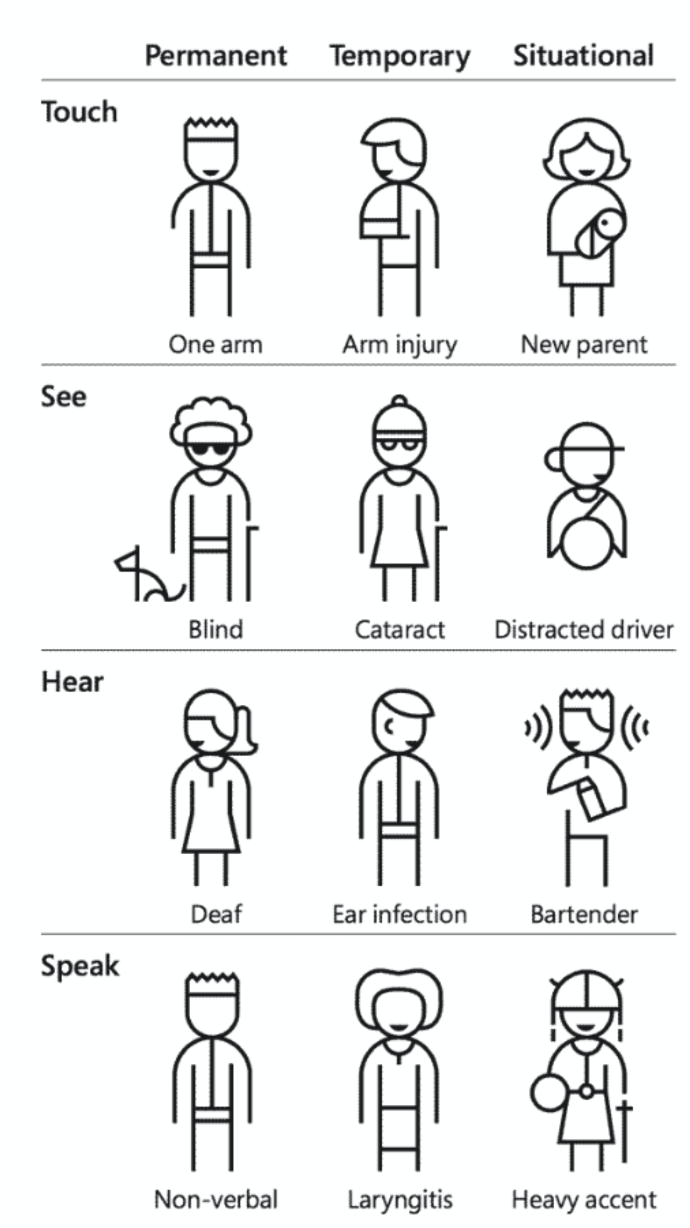
Additionally, I wanted to approach the project with an inclusive point of view. The reason being that I wanted to create an accessible user experience and product for a greater number of people. For that reason, I determined to make use of a persona spectrum. Define: solving the design challenge
Having gathered an understanding and awareness of the user personas, I headed on to solve the design challenge. First up was to identify the user needs, based on the information provided in the brief. Further, I determined to define the experience requirements and features using a Pinterest Board. And lastly, I wanted to generate a problem statement and “How Might We” questions in order to lead me to the next step of the project - ideate and sketch. Overall, I wanted the define stage to help me gather ideas to establish features, functions and other elements that would allow me to solve the design challenge. “Our users need to be provided information about a personal trainer, gym or pool in close proximity, as well as simple workout routines - because they want easy access to fitness while traveling”
Problem statement - POV
The solution
As I had not previously conducted any user research, my thoughts on user barriers and needs would in turn be based on assumptions. But based on the information provided about the users - a couple of thoughts appeared. It might be difficult to keep up with a workout regime while traveling, and it might be even harder to stay motivated. So, an easy accessible option in the form of a fitness app would in turn help with motivation as well as straying on track. Prototyping
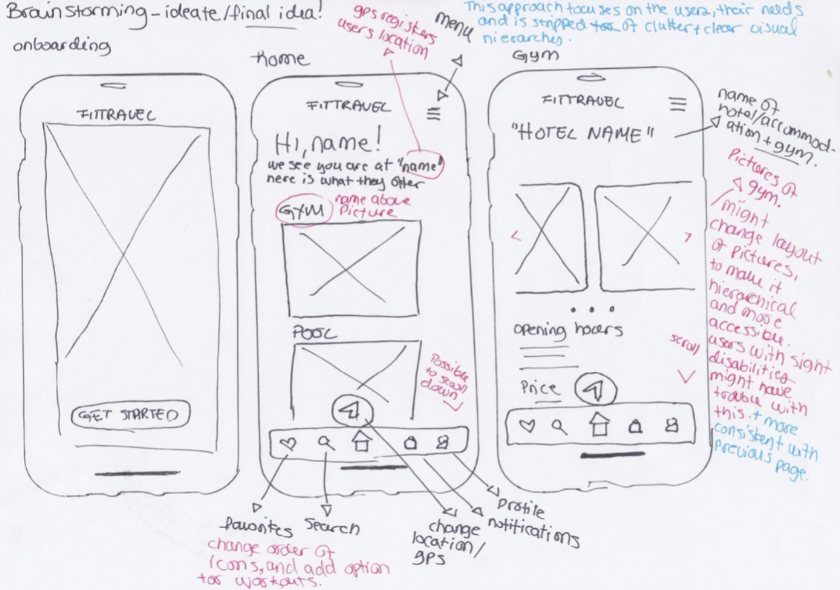
Having put pen to paper and sketched five wireframes, I turned to Sketch and InVision and the creation of a digital prototype. 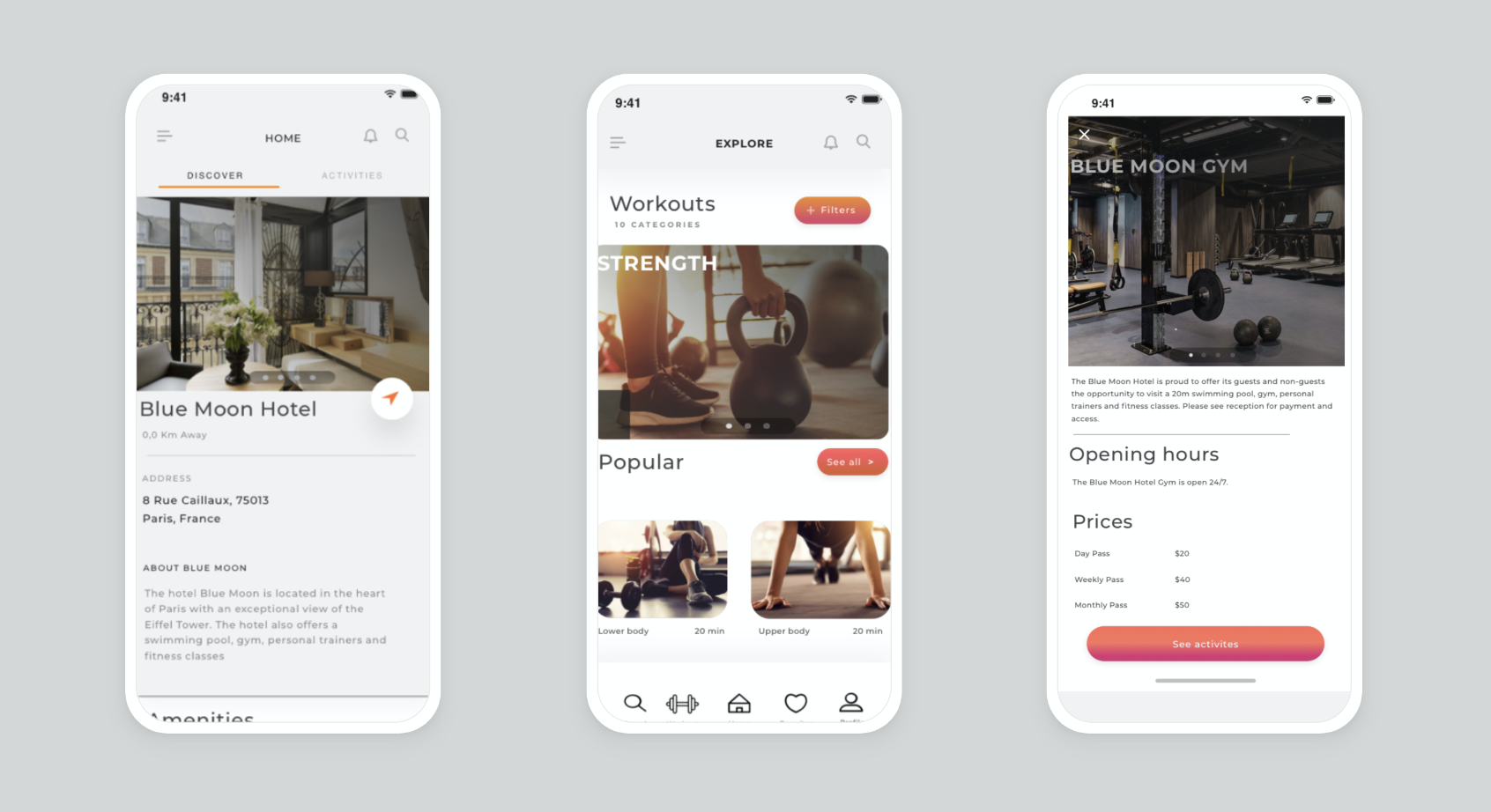
Learnings
Overall, the planning of FitTravel and the creation of high-fidelity screens was quite an exciting and educational process. I was also introduced to InVision during this project. However, like many of my previous projects, this one was not without any obstacles and lessons. Although digging deeper into assumptions and user needs is a great exercise, I often find the lack of primary research and usability testing a bit risky. Especially if an assumption is proven wrong, breaks the idea entirely and ultimately sends you to the starting line. Nonetheless, I have come to the realisation that assumptions are needed in order to move forward, and can lead to useful questions. Although some assumptions can be considered minor and inconsequential to prove wrong, the lesson is to fine the one you have to be right about.